UX
UI
Internal Tools
Figma
Vader Support Platform 🛸
Redesigning Stori’s internal CS platform to consolidate fragmented workflows. By unifying three disconnected tools into one interface, I reduced ticket resolution time by 48% and optimized operational costs for a team of 400 agents.
⚡
-48
%
Ticket Resolution Time
From 2.5m to 1.3m
⚡
-78
%
Time to Value
From app entry to active operation
⚡
$4M
MXN
Projected Savings
Operational cost reduction
ROL
Product Designer
TYPE
Internal Tool
USERS
Customer Support Agents
TOOLS
Figma · Maze
View in Figma 🡥
✦ OVERVIEW
Less friction.
Faster support.
Vader is the internal platform used by customer service agents to manage tickets, handle user requests, and coordinate operational workflows. When I joined, agents were dealing with a fragmented, high-friction tool that slowed down every interaction.
I redesigned the platform from the ground up — focusing on reducing cognitive load, clarifying ticket states, and building a consistent UI system that could scale as the team grew.
✦ PROBLEM
Tools that slow you down
cost more than time.
Agents spent a significant part of their day fighting the interface — navigating through unclear menus, searching for ticket context, and completing simple actions through multiple steps.
🌀
High cognitive load
Too many UI elements competing for attention — agents had to remember where things were instead of focusing on the customer.
❓
Unclear ticket status
Ticket states were ambiguous and hard to scan — agents couldn't quickly identify what needed action.
🐌
Too many steps for simple tasks
Common actions like updating a ticket or escalating an issue required multiple clicks and page changes.
🔧
No UI consistency
The interface had accumulated debt from years of quick fixes — every section felt like a different product.
✦ APPROACH
Design alongside
the people using it.
I started with a visual audit of the existing product to identify all inconsistencies. Then built the system layer by layer — from primitive tokens up to full patterns — so each level was stable before moving to the next.
01 — Research
Agent shadowing 👀
Observed agents in real sessions to identify where they lost time, got confused, or had to work around the tool.
02 — Definition
Workflow mapping 🗺️
Mapped the full ticket lifecycle and identified the critical paths that needed the most improvement.
03 — Design
Iterative prototyping ⚡
Built low and high-fidelity prototypes in Figma, tested with agents, and refined based on direct feedback.
04 — System
UI consistency 🧩
Established a component system specific to internal tooling — clear states, scalable patterns, and dev-ready specs.
01 — TICKET MANAGEMENT
One glance to know
what needs action.
Redesigned the ticket queue with clear status indicators, priority flags, and contextual actions surfaced inline — agents can now scan, prioritize, and act without leaving the list view.

02 — ROLES & PERMISSIONS
The right action for
the right person.
Structured access and actions based on user roles — reducing errors caused by agents accessing functions outside their scope, while giving supervisors full visibility without extra steps.
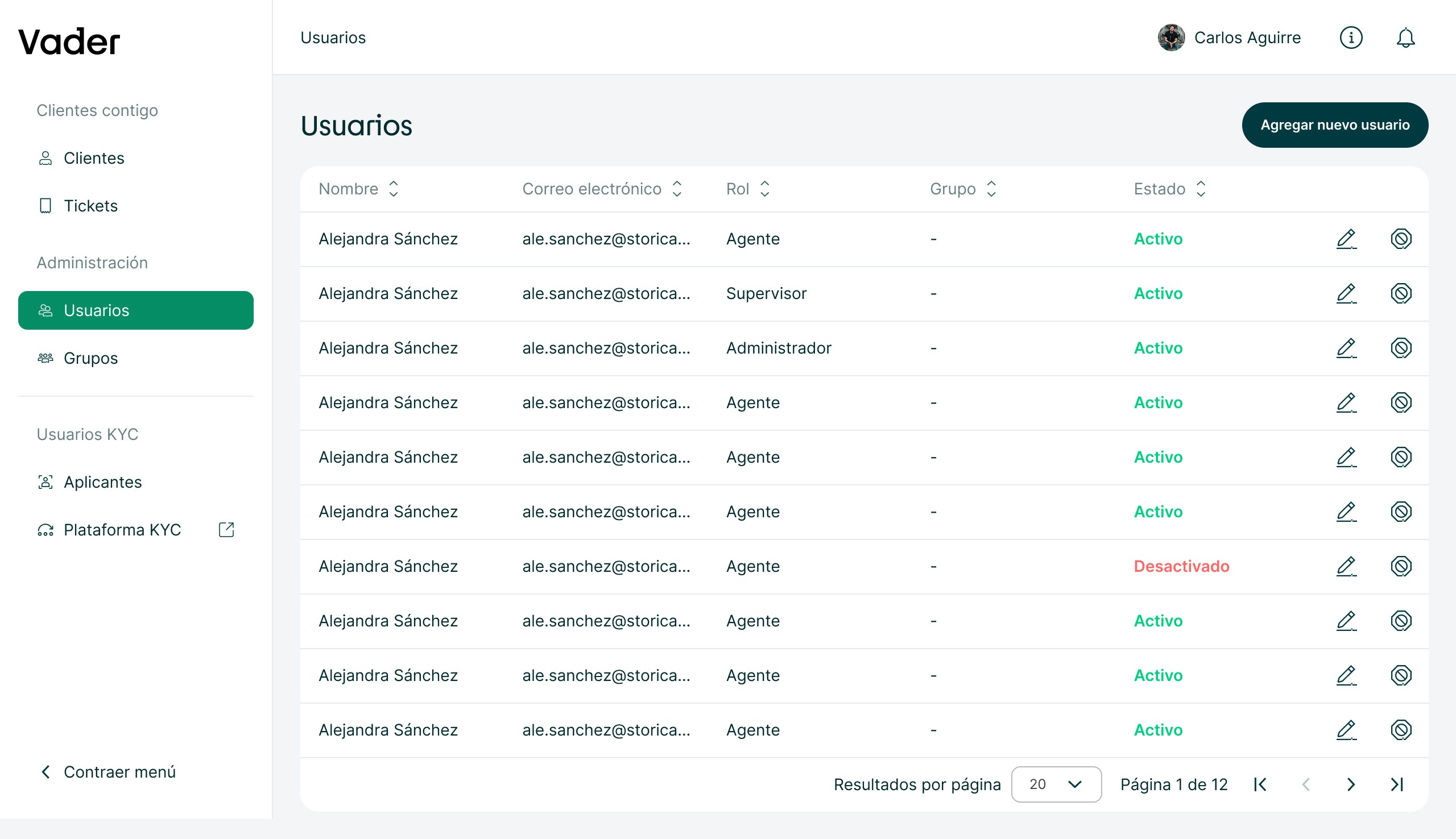
03 — UI SYSTEM
Internal tools deserve
good design too.
Built a component library tailored for internal tooling — data tables, status badges, action menus, and form patterns. Consistent across every section of the platform.
